Description
28 Inch Touch Stretched LCD Display for Commercial Integration
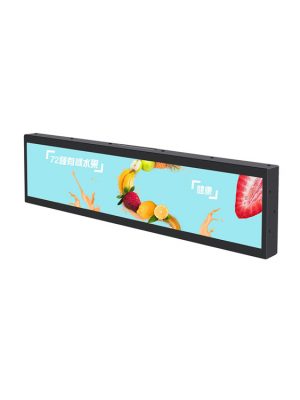
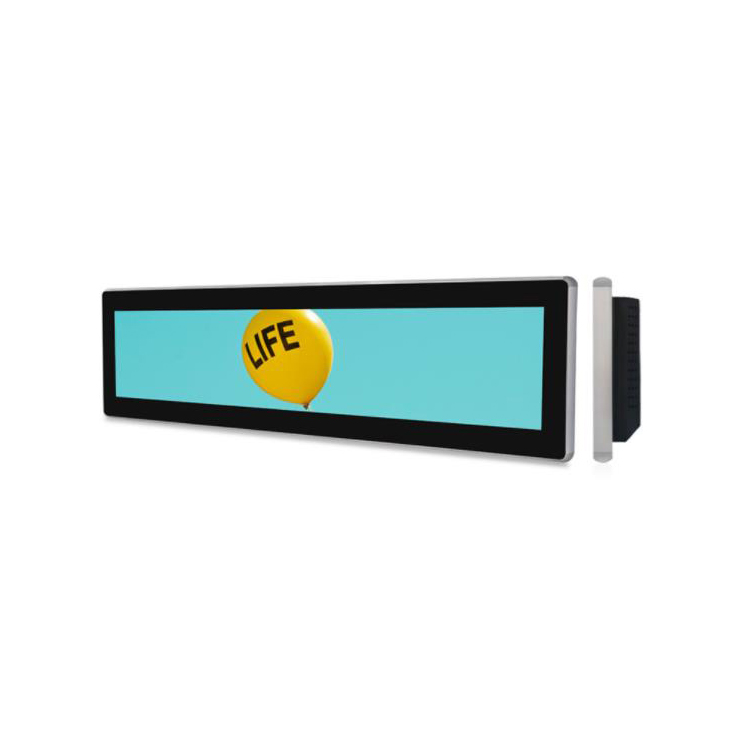
Interactive information often needs more horizontal room than a compact shelf strip can provide, but a full-height kiosk may still be unnecessary. This 28-inch display offers a 698.4 × 129.86 mm active area, a 1920 × 463 resolution and a 10-point projected capacitive touchscreen. It creates a practical middle ground for counters, showroom fixtures and embedded equipment.
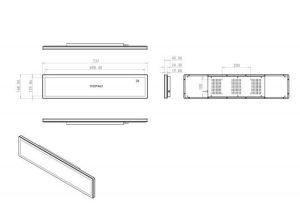
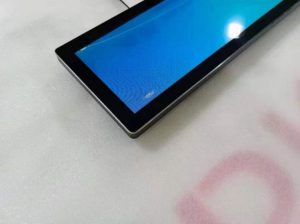
The black metal enclosure measures 737 × 168.5 × 40.5 mm and supports embedded or wall-mounted installation. Standard video inputs allow the unit to work with a project-specific computer or media player rather than locking the buyer into one computing platform.
Using a Stretched LCD Display as an Interactive Work Area
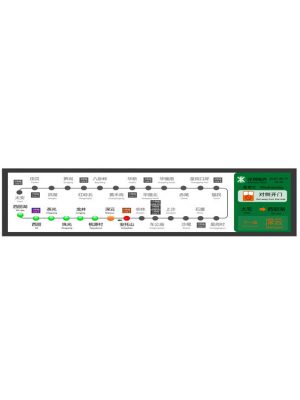
A stretched lcd display can divide information and controls across one continuous horizontal canvas. A permanent navigation area may remain visible at one side, while the centre presents product or service details and the remaining area shows status, instructions or a call to action.
This arrangement reduces unnecessary screen changes and helps users understand where they are in an interaction. It can support a showroom configurator, a service-selection counter, a compact check-in point or an equipment interface where several operating values need to remain visible together.
The panel is rated at 400 cd/m² with 89-degree viewing angles in all directions. It is designed for indoor commercial lighting and near-field use. Text, controls and imagery should be sized for the actual mounting height and viewing distance rather than treated like content for a distant advertising screen.
| The specification | ||
| Model No | Product model | ZXTLCD-BAR280MTQSP |
| LCD Screen Panel | Screen size | 28″ LCD Panel |
| Active display area | 698.40(H) X 129.86(V)mm | |
| Resolution | 1920(V) X 463(H) | |
| Brightness | 400cd/m2 | |
| Contrast ratio | 1200:1 | |
| Display color | 16.7M | |
| Backlight type | WLED | |
| Viewing angles | 89°/89°/89°/89°(U/D/L/R) | |
| Response time | 9.5ms | |
| Lifespan | 50000 hours | |
| Main board | CPU | MSTAR V56(TSUMV56RUU) |
| Interfaces | USB2.0 | |
| HDMI*2 | ||
| TF/Audio/DC IN | ||
| Touchscreen | Touch type | 10 points projected capacitive touchscreen |
| machine specification | Operating voltage | 100-240V(50/60Hz) |
| Power consumption | ≤30W | |
| Product size | 737(H)X168.5(V)X40.5(D)mm | |
| Installation | Embedded, wall-mounted | |
| Appearance material | Metal shell | |
| Net weight | ≤4.1KG | |
| Surface treatment | Black metal paint | |
| Environmental | Storage Environment | Temperature:-20℃~60℃ |
| Humidity:5%~95% | ||
| Atmospheric Pressure:86kPa~104kPa | ||
| Working Environment | Temperature:-10℃~50℃ | |
| Humidity:10%~85% | ||
| Atmospheric Pressure:86KPa~104KPa | ||
| Packing list | Bar lcd display | 1pcs |
| Power Cable | 1Pcs | |
| The design drawing as follows | ||
Touch Function with a Separate Host
The projected capacitive layer supports up to ten touch points. Application software runs on the connected host, giving integrators the ability to select Windows, Android or another compatible platform according to project requirements. The standard page specification lists an MSTAR V56 controller, so the unit should not be promoted as having a built-in signage player unless an additional computing option is selected.
Two HDMI inputs support common video sources, while USB 2.0, TF, audio and DC input are also listed. This connectivity can simplify prototypes because a customer can test the screen with an existing computer before committing to the final embedded player.
The WLED panel displays 16.7 million colours, offers a 1200:1 contrast ratio and has a stated 50,000-hour lifespan. Power consumption is no more than 30 W. These characteristics make it suitable for regular commercial operating schedules when ventilation and power are properly planned.
Different Roles Across Commercial Environments
At a retail counter, the screen can show available service categories and let a customer make a short selection. In a showroom, it can sit beside appliances, vehicles or building materials and present configurable options without obscuring the physical sample. In a museum, the horizontal format can support a timeline or labelled exploration interface.
Industrial and commercial equipment manufacturers can use the display as a control surface where status information remains visible beside touch controls. The wide format may also help replace a row of separate indicators with one coordinated interface, provided the software is designed for operational clarity.
The strongest application is one that uses both the horizontal layout and touch capability. If the project only needs looping video, a non-touch configuration may be more economical. That decision should be based on the intended user action rather than adding touch as an unused feature.
Preparing the Installation
The enclosure weighs no more than 4.1 kg and is specified for embedded or wall mounting. The complete product dimensions, connector access and bracket positions must be incorporated into the fixture drawing. A removable service panel is useful when the host computer or cables will sit behind the display.
The working range is listed as -10°C to 50°C, with storage from -20°C to 60°C. The screen is not described as waterproof or sunlight-readable, so it should remain in an appropriate indoor environment.
Before ordering, buyers should identify the host platform, touch-driver requirements, cable direction, operating schedule and expected interface. A full-size prototype should be checked for touch-target spacing and comfortable viewing before volume production.
For integrators that need a longer interactive surface without installing a conventional kiosk, this 28-inch model offers a flexible combination of touch input, standard connectivity and commercial enclosure design. ZXTLCD can assess mechanical drawings and host requirements for the final project configuration.