Description
28.6 Inch Touch Stretched LCD Panel for Retail Fixtures
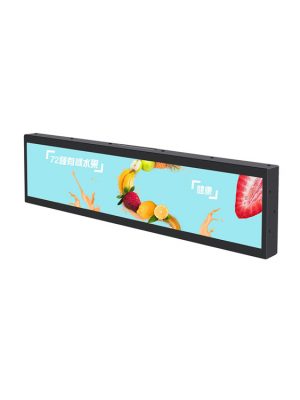
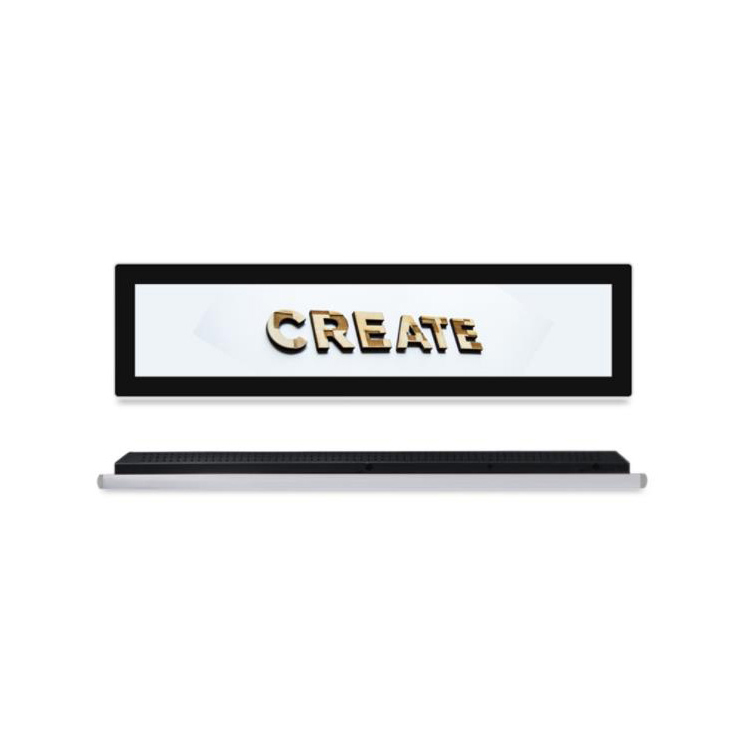
Interactive retail fixtures need enough screen height for comfortable controls while preserving product and counter space. This 28.6-inch display uses a 698.4 × 196.43 mm active area at 1920 × 540 resolution, providing a wider working surface for product selection, guided comparison and compact service interfaces.
The standard configuration combines a 10-point projected capacitive touchscreen with an MSTAR V56 display controller. It is therefore designed to work with an external computer or media source rather than operating as a self-contained Android signage player.
| The specification | ||
| Model No | Product model | ZXTLCD-BAR286MTQSP |
| LCD Screen Panel | Screen size | 28.6″ LCD Panel |
| Active display area | 698.40(H) X 196.43(V)mm | |
| Resolution | 1920(V) X 540(H) | |
| Brightness | 400cd/m2 | |
| Contrast ratio | 1200:1 | |
| Display color | 16.7M | |
| Backlight type | WLED | |
| Viewing angles | 89°/89°/89°/89°(U/D/L/R) | |
| Response time | 9.5ms | |
| Lifespan | 50000 hours | |
| Main board | CPU | MSTAR V56(TSUMV56RUU) |
| Interfaces | USB2.0 | |
| HDMI*2 | ||
| TF/Audio/DC IN | ||
| Touchscreen | Touch type | 10 points Projected Capacitive touchscreen |
| machine specification | Operating voltage | 100-240V(50/60Hz) |
| Power consumption | ≤30W | |
| Product size | 743.99(H)X242(V)X59.5(D)mm | |
| Installation | Embedded, wall-mounted | |
| Appearance material | Metal shell | |
| Net weight | ≤4.5KG | |
| Surface treatment | Black metal paint | |
| Environmental | Storage Environment | Temperature:-20℃~60℃ |
| Humidity:5%~95% | ||
| Atmospheric Pressure:86kPa~104kPa | ||
| Working Environment | Temperature:-10℃~50℃ | |
| Humidity:10%~85% | ||
| Atmospheric Pressure:86KPa~104KPa | ||
| Packing list | Bar lcd display | 1pcs |
| Power Cable | 1Pcs | |
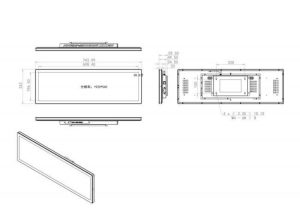
| The design drawing as follows | ||
Building an Interface Around a Stretched LCD Panel
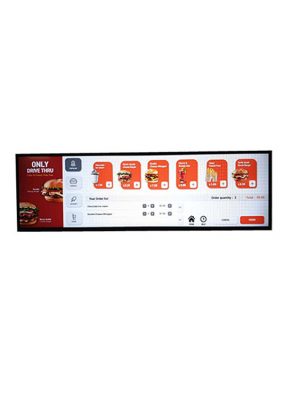
A stretched lcd panel can keep navigation, product information and confirmation controls visible at the same time. In a showroom configurator, one end of the screen may hold category controls while the remaining space displays finishes, accessories or specifications. At a service counter, the layout can separate instructions from touch choices.
The 1920 × 540 canvas should be treated as its own interface format. Simply shrinking a desktop or tablet application will make controls too small and waste horizontal space. Touch targets need to suit the mounting height, expected user position and real finger size.
The display offers 400 cd/m² brightness and viewing angles of 89 degrees in all directions. These characteristics support indoor commercial use where customers may approach from different positions.
Selecting the External Host
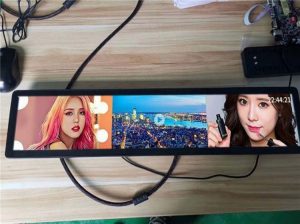
Two HDMI inputs allow the display to connect to a compact PC, Android player or embedded computer selected by the integrator. USB 2.0, TF, audio and DC-related connections are also listed. The external host determines the operating system, network access, application performance and content-management features.
This arrangement is useful for organisations that already have approved hardware or software. A retailer can use the same player family installed elsewhere, while an equipment manufacturer can connect the screen to its own controller.
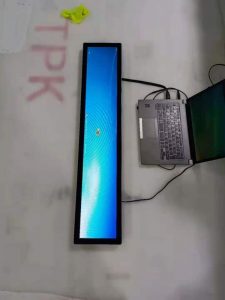
The touchscreen and host must be tested together. Driver compatibility, boot order, screen orientation and touch-coordinate mapping should be verified before the surrounding fixture is finalised.
Retail, Showroom and Equipment Applications
The screen can be built into a product table for comparing models, a wall fixture for selecting colours or a service desk for short customer input. It may also sit beneath a physical display and provide an interactive layer without requiring a freestanding kiosk.
For industrial or commercial equipment, the long canvas can organise status values alongside operating controls. The interface designer should keep alerts visible and avoid hiding critical information behind promotional or secondary screens.
The product structure supports a broad set of indoor applications. Its value comes from the combination of ultra-wide layout, touch input and external-host flexibility rather than one specific retail location.
Mechanical Integration
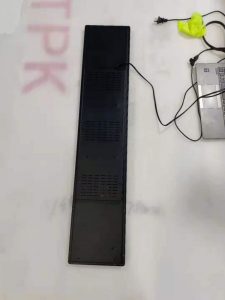
The complete enclosure measures 743.99 × 242 × 59.5 mm and weighs no more than 4.5 kg. It supports embedded or wall-mounted installation. Fixture drawings need to include connector clearance, ventilation and a route for replacing or servicing the external host.
The metal housing is finished in black, and listed power consumption is no more than 30 W. The working range is -10°C to 50°C. No outdoor or waterproof rating is stated.
Before production, buyers should identify the host device, operating system, touch protocol, cable direction and mounting structure. Testing one full-size interface is more reliable than approving the project from a standard desktop mock-up.
For interactive installations that require a wide horizontal control area, this 28.6-inch model provides the touch surface and video flexibility needed for a customised system. ZXTLCD can review the host and mechanical design before a batch order.