
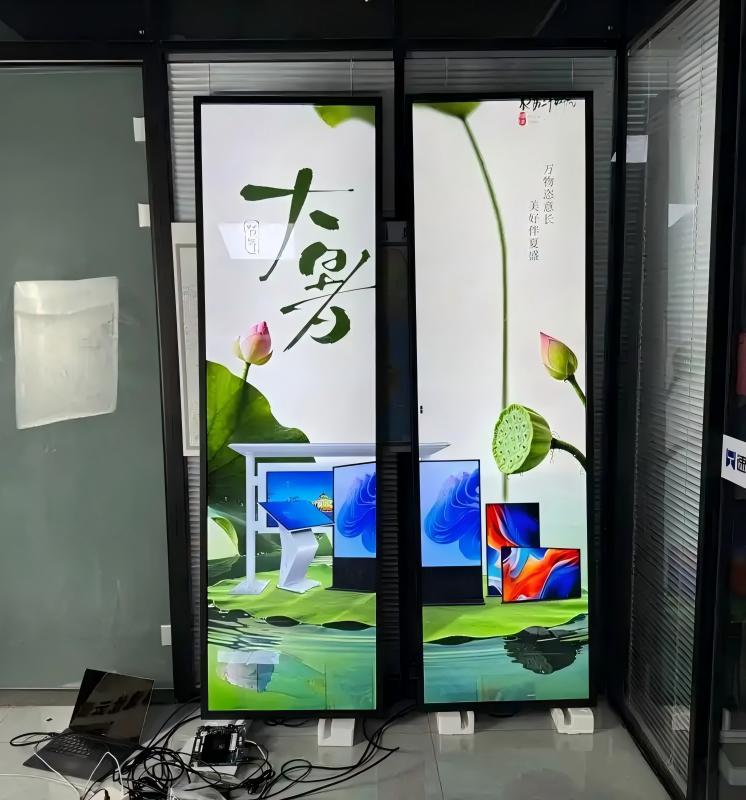
When prospective clients inquire about stretched bar LCD displays, their opening question is frequently: ‘What is the exact resolution of your stretched bar screens?’
This question cannot be answered with a single universal figure. Unlike standard consumer monitors and televisions that conform to uniform resolutions such as 1920×1080 (16:9), stretched bar displays feature inherently elongated proportions with varying aspect ratios. Consequently, their resolutions do not conform to a single fixed standard. Today, ZXTLCD provides an in-depth look into stretched display resolutions and key criteria for choosing the right one.
Why Stretched Bar Displays Lack a Single Unified Standard Resolution
The resolution of a stretched display is fundamentally governed by its physical aspect ratio.
While conventional displays adhere to 16:9, stretched bar displays feature ultra-wide ratios such as 4:1, 16:3, 32:9, or even narrower panoramic strips. The narrower the vertical profile, the fewer pixels can be positioned along the vertical axis. Hence, stretched bar resolutions typically combine high horizontal pixel counts with reduced vertical counts.
Furthermore, stretched displays are engineered around physical installation spaces. Supermarket shelves, elevator door transoms, corridor walls, and museum showcases each present distinct physical clearances. For the same horizontal length, variations in available vertical height dictate different panel cuts and corresponding pixel resolutions, explaining why stretched screens cannot be confined to standard consumer formats.
Common Commercial Stretched Display Resolutions
Across the commercial display industry, several prevalent resolution profiles have become established:
1920×360 (approx. 16:3 aspect ratio): A widely deployed commercial specification ideal for shelf headers, checkout counter headers, and corridor directional bands.
1920×480 (4:1 aspect ratio): Providing slightly more vertical space than 1920×360, this resolution accommodates dual-zone layouts featuring simultaneous product photography and promotional text.
1920×540 (32:9 aspect ratio): Equivalent to halving a standard 1920×1080 display horizontally, providing generous vertical height well-suited for rich, full-motion promotional video.
1920×720 (8:3 aspect ratio): A broader stretched format that balances panoramic horizontal breadth with substantial content area for transit and banking terminals.
3840×1080 (32:9 aspect ratio): Delivering 4K-grade horizontal pixel density across a 32:9 canvas, engineered for large-format panoramic displays where pristine optical clarity is paramount.
In addition to these, ultra-narrow strips exist for shelf-edge pricing and architectural strip lighting. Because stretched screens are specialized non-standard hardware, available resolutions depend on motherglass panel availability and custom cutting engineering. The configurations above represent mature industry benchmarks rather than rigid limits.
Higher Resolution Is Not Always Superior: The Viewing Distance Factor
Buyers often default to demanding the highest available resolution, but stretched displays must be evaluated relative to physical dimensions and human viewing distances.
For small-to-medium displays viewed at close proximity (such as shelf-edge displays viewed from one to two feet away), high pixel density is essential: typography remains crisp, fine pricing digits stay sharp, and product photos look vibrant without visible grain.
Conversely, for expansive displays mounted high on grand atrium walls or transit station portals viewed from twenty feet away, excessively high pixel density yields diminishing optical benefits while increasing hardware controller costs and creative rendering file sizes.
The pragmatic approach is to establish installation dimensions and primary viewing distances first, and then determine the optimal native resolution accordingly.
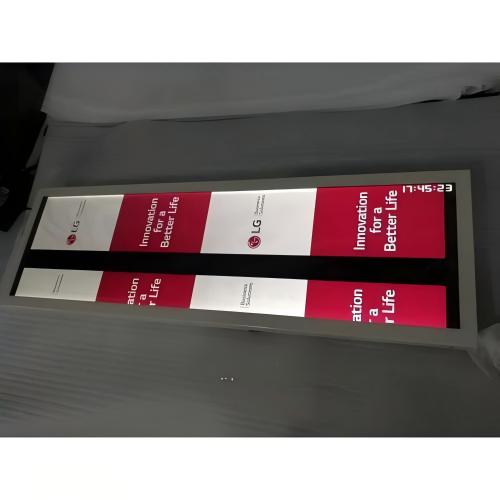
Aligning Creative Media Content with Native Screen Resolution
A frequently overlooked aspect of stretched signage deployment is creative media asset preparation.
If promotional video or graphic assets do not match the display’s native pixel aspect ratio, content will suffer noticeable horizontal stretching, vertical compression, or unsightly black letterboxing. Attempting to play standard 16:9 videos directly on stretched displays without proper formatting invariably compromises brand perception.
The recommended practice is authoring media files directly to the exact pixel resolution of the target screen. When utilizing cloud digital signage CMS platforms, verify whether the software supports native non-standard canvas mapping. ZXTLCD’s digital signage software suite includes native non-standard resolution adaptation, ensuring assets render in perfect proportion.
Key Considerations Before Selecting a Stretched Display Resolution
Before requesting quotations or finalizing technical specifications, clarify these four project criteria:
1. Usable Spatial Dimensions: Measure exact available horizontal length and vertical clearance.
2. Primary Viewing Distance: Determine whether patrons view the display at close touchpoint range or from across a large public hall.
3. Target Content Complexity: Establish whether the screen will show simple alphanumeric pricing and text, or high-definition promotional video and animations.
4. Content Workflow & Creative Pipeline: Confirm whether creative media will be custom-rendered to native resolutions or adapted from pre-existing 16:9 advertising assets.
Clarifying these factors ensures smooth technical consultation, guarantees proper resolution matching, and eliminates costly design rework.
Frequently Asked Questions (FAQ)
Is there an official standard resolution for stretched bar displays? No universal industry standard exists. Stretched resolutions depend directly on screen dimensions and aspect ratios, with common configurations including 1920×360, 1920×480, 1920×540, and 1920×720.
Can a stretched bar display play standard 16:9 horizontal videos? Yes, but standard 16:9 video will be stretched or displayed with black pillarboxing unless cropped or adapted. Authoring media directly to native pixel dimensions produces the highest visual fidelity.
Does higher resolution automatically ensure a better stretched display? Not necessarily. Resolution must balance screen size and viewing distance. Close-up shelf signage demands high pixel density, whereas distant transit signage prioritizes high brightness and wide-angle visibility over extreme pixel counts.
Can ZXTLCD manufacture screens for non-standard gondola shelf sizes? Yes. ZXTLCD specializes in custom dimensional engineering. Provide your shelf measurements and operational environment, and our team will evaluate the optimal resolution and hardware configuration.
Conclusion
There is no single ‘correct’ resolution for stretched displays; the ideal resolution harmonizes screen dimensions, human viewing distance, and creative media requirements. Selecting specifications based on real-world viewing conditions proves far more rewarding than chasing raw numbers.
ZXTLCD specializes in commercial-grade LCD stretched bar displays. If you are planning an installation, share your installation dimensions and application scenarios with us to assess the optimal resolution and hardware solution. Official website: www.stretchedbarlcd.com
Explore Related Commercial Stretched Bar LCD Models
If you are sourcing high-reliability stretched display hardware for this application, consider these featured commercial specifications:
Need a Custom Screen Size or Turnkey Project Quote?
ZXTLCD provides full ODM/OEM customization for commercial projects—including ultra-wide aspect ratios, sunlight-readable high brightness, custom mounting brackets, and Android/Windows CMS software integration.